Realtime Examples
Four runnable examples in the examples/
directory, in rough order of how much they teach. All use the
server-side bridge; all run on either OpenAI or
Gemini. Set the relevant key first:
export OPENAI_API_KEY=sk-…        # for OpenAI sessions
export GEMINI_API_KEY=…           # for Gemini sessions (or GOOGLE_API_KEY)
realtime_tools
Headless. The clearest first read. A console probe (no browser) that
exercises tool dispatch on IntegratedRealtimeRunner: single-tool,
parallel-tool, and calculator turns, with session/memory/transcript aggregation
wired in. The smallest end-to-end picture of how a tool turn flows.
cargo run --manifest-path examples/realtime_tools/Cargo.tomlStart here to understand the runner; then move to the web examples for audio.
realtime_voice — Mindfulness with Mia
The flagship. A full web voice app: browser captures mic PCM16 and plays the
agent gaplessly with barge-in; the Rust server owns the session. Its standout
feature is memory: a file-backed GraphMemoryService is Mia's
long-term memory — her profile card is injected at session start, every turn is
logged to the graph, and she curates durable facts mid-conversation via the
bridged remember/relate tools. A live "User Memory Insights" panel reads and
writes the same graph over /api/memory. Also shows a server-side get_weather
tool.
| Light | Dark |
|---|---|
 |  |
cargo run --manifest-path examples/realtime_voice/Cargo.toml
# → http://localhost:3033
Read it for: Web Audio capture/playback, knowledge-graph memory, agent self-curation.
customer_service — Aria
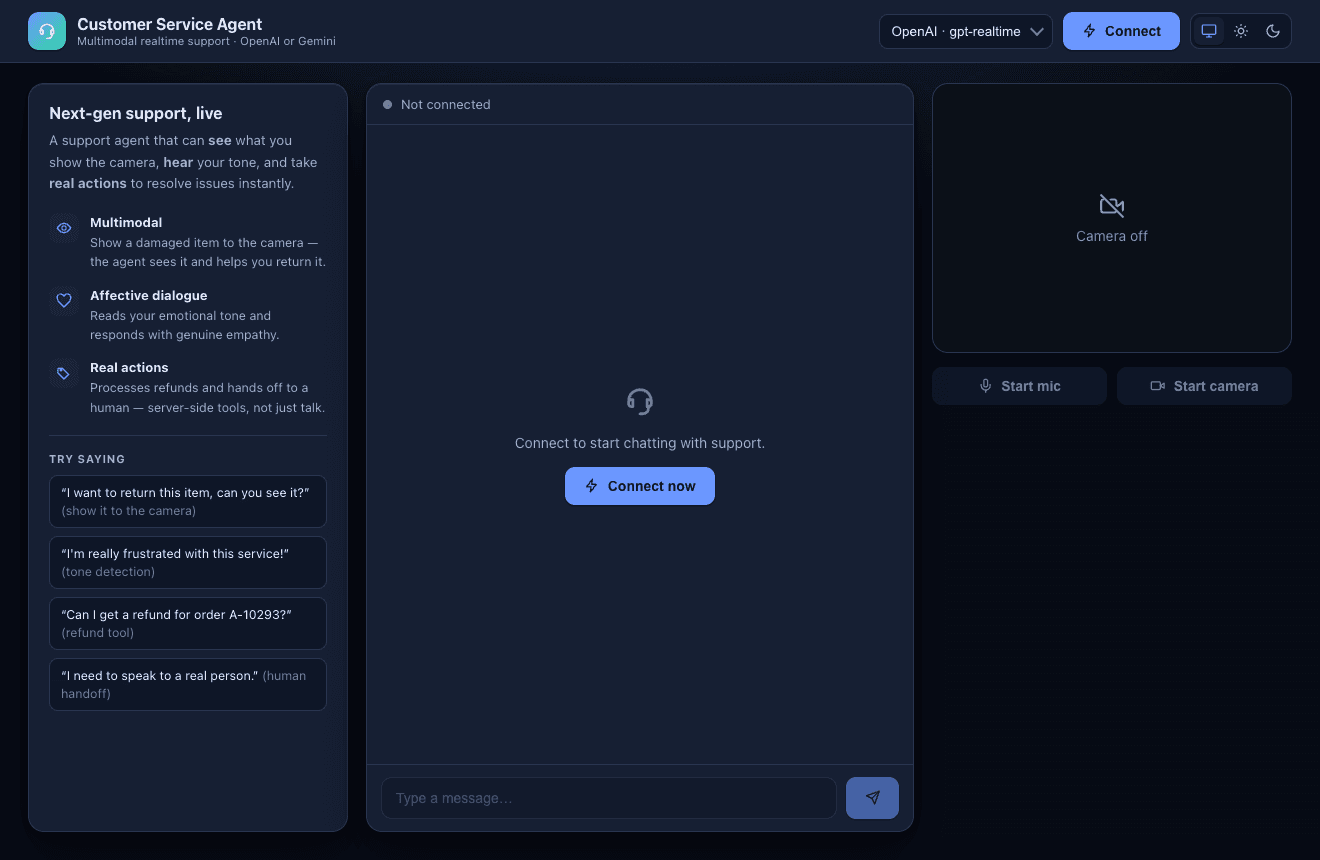
The multimodal showcase. A redesigned take on Google's "Customer Service Agent" Live API demo — backend-agnostic, in Rust, with a themed (system/light/dark) three-column UI. It combines everything:
- Multimodal — streams mic PCM and camera JPEG frames;
Aria sees what you show her (
send_video_frame). - Tools —
process_refundandconnect_to_humanrun server-side; results are spoken back. - Affective dialogue — empathetic on both backends;
CS_AFFECTIVE=1switches Gemini to the native-audio model for true tone-matching.
| Light | Dark |
|---|---|
 |  |
cargo run --manifest-path examples/customer_service/Cargo.toml
# → http://localhost:3066

# headless smoke test (verifies the refund tool runs):
cargo run --manifest-path examples/customer_service/Cargo.toml -- probe openai
cargo run --manifest-path examples/customer_service/Cargo.toml -- probe gemini

# enable Gemini native affective dialogue:
CS_AFFECTIVE=1 cargo run --manifest-path examples/customer_service/Cargo.toml
Read it for: video input, mixing multimodal + tools + affect in one agent.
live_translation
The dedicated-model example. A real-time speech-to-speech translator: speak
English, hear Spanish a couple of seconds later. Same bridge, but pointed at the
providers' translation models — OpenAI gpt-realtime-translate and Gemini
gemini-3.5-live-translate-preview — which speak a different protocol than the
conversational models. Pick a target language in the UI; the server negotiates
per-provider audio rates before audio flows.
| Light | Dark |
|---|---|
 |  |
cargo run --manifest-path examples/live_translation/Cargo.toml
# → http://localhost:3055
cargo run --manifest-path examples/live_translation/Cargo.toml -- probe openai
Read it for: using the dedicated translation models and a focused, minimal bridge.
A suggested path
realtime_tools— see the runner and a tool turn, no audio noise.realtime_voice— add real audio and knowledge-graph memory.customer_service— add vision and affect; the full multimodal agent.live_translation— a specialized model and protocol.
Each README.md in the example directory has the full env-var table, model
overrides (OPENAI_REALTIME_MODEL / GEMINI_REALTIME_MODEL), and architecture
notes.
← Back to the Realtime overview